LekhaWekha – Outsourcing Solutions for Accounting Practices
  1. Home
  2. »
  3. UK Blogs
  4. »
  5. RDP Accounting Outsourcing for UK Accounting Firms

RDP Accounting Outsourcing for UK Accounting Firms: How to Let India Work Inside Your System Safely

What if your offshore accounting team could work inside your own software, on your own data, without you ever sending a single file?
That is exactly what RDP-based outsourcing delivers.

Most UK accounting firm owners who explore outsourcing get stuck on the same practical question: how do we actually share the work? Emailing client files feels risky. Cloud folder setups take time to configure. And for practices running desktop software like Sage, VT+, or IRIS, the question becomes even harder to answer.

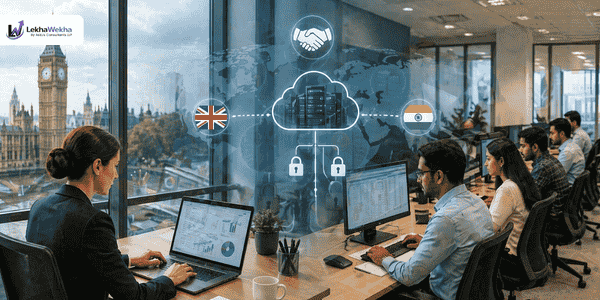
Remote Desktop Protocol, or RDP, solves that problem directly. Instead of files moving anywhere at all, your outsourced accounting team logs into your system remotely and does the work where the data already lives. You see the output in the same place it always was. Nothing leaves your infrastructure.

This blog explains exactly how RDP-based accounting outsourcing works for UK firms, why an increasing number of practices are choosing it specifically, what the security picture looks like, and how to decide whether it is the right model for your practice.

RDP Accounting Outsourcing for UK Firms | Secure Remote Access | LekhaWekha
 Get Your 20-Hour Free Trial  View Pricing

No files to send. No setup fee. Try RDP outsourcing with zero risk.

First, What Is RDP and Why Does It Matter for Accounting Outsourcing?

RDP stands for Remote Desktop Protocol. It is a Microsoft technology that allows a user to connect to and operate a computer remotely, seeing its screen, using its applications, and accessing its data, as if they were physically sitting in front of that machine.


In the context of accounting outsourcing, this means your offshore team in India logs into your office computer or server using secure credentials. They open Sage, or VT+, or IRIS, or whichever software your practice uses. They process the bookkeeping, prepare the VAT return, or work on the year-end accounts. When they are done, they log out. Everything they did is saved on your system. Nothing was sent anywhere. No file ever left your building.


For UK accounting firms, this model solves three problems that trip up a lot of outsourcing conversations:


  • Desktop software that cannot easily be accessed through cloud platforms
  • Concerns about client data leaving your controlled infrastructure
  • The administrative overhead of setting up shared folders and file transfer systems


RDP-based outsourcing bypasses all three. The data stays on your system. The software stays on your system. The only thing that travels across the internet is a screen image and keyboard and mouse inputs.

Why UK Accounting Firms Are Choosing RDP Over Other Outsourcing Methods

There are several ways to structure an accounting outsourcing arrangement and the right choice depends on your software setup, your security requirements, and your team’s preferences. RDP has specific advantages that make it the preferred model for a meaningful number of UK practices.


Your Existing Software Stays Exactly as It Is

One of the most common objections to outsourcing is that it would require changing software or migrating to a cloud platform. With RDP, that concern disappears. Your Sage licence, your IRIS subscription, your VT+ setup, none of it needs to change. The offshore team works inside the software you already pay for and already know. No migration. No retraining. No disruption to your existing workflow.


Client Data Never Leaves Your Infrastructure

Under the RDP model, client financial data does not leave your system at any point. The offshore team sees your screen and operates your mouse and keyboard remotely, but the underlying data files remain on your server or workstation throughout. For UK accounting firms with clients who are particularly sensitive about data handling, this is a meaningful reassurance that other outsourcing models cannot match as clearly.


You Can Watch in Real Time

Because RDP creates a visible remote session, you can observe what the offshore team is doing at any time. You can watch the session live, review it after the fact, or set up session recording for audit purposes. This level of visibility is not available when work is done offline and returned to you as a finished file.


Access Can Be Revoked Instantly

RDP credentials are controlled by your IT setup. You grant access. You revoke it. If you want to end the arrangement, or if a specific session needs to be terminated, it takes seconds. That level of control is an important part of the security picture for practices with professional indemnity obligations and regulatory compliance requirements.

The Security Picture: Honest Answers to the Questions You Are Thinking

RDP has had a mixed reputation in IT security circles because poorly configured RDP access has historically been a target for cyberattacks. This is a legitimate point and it is worth addressing directly rather than glossing over it.

The key distinction is between unsecured RDP exposed to the open internet and properly configured RDP access managed within a professional framework. The first is a genuine security risk. The second, implemented correctly, is a secure and widely used enterprise remote access method.


What Secure RDP Access Looks Like in Practice

Security Measures That Must Be in Place

  1. ✓  VPN layer: RDP should run through a VPN tunnel, not exposed directly to the internet. This encrypts the connection and restricts access to known IP addresses only.
  2. ✓  Multi-factor authentication: The offshore team should authenticate with at least two factors before any session begins. Password alone is not sufficient.
  3. ✓  Non-standard port: RDP’s default port (3389) is well known to attackers. Changing it to a non-standard port reduces automated scanning risk significantly.
  4. ✓  Network-level authentication: NLA requires users to authenticate before a full RDP session is established, adding a protective layer against certain attack types.
  5. ✓  Session logging and recording: All remote sessions should be logged with timestamps, and ideally recorded, for audit and review purposes.
  6. ✓  Least privilege access: The offshore team account should have access only to the applications and folders needed for their specific work. Not administrative rights. Not broad file system access.
  7. ✓  Idle session timeout: Sessions left inactive should time out automatically to prevent unattended access.


LekhaWekha implements all of the above as standard when working with UK accounting firms through RDP access. The session setup is documented, the access credentials are managed securely, and all activity is logged throughout the engagement. Before any RDP session begins, a signed Data Processing Agreement covering UK GDPR requirements is in place.


What Work Gets Done Through RDP: A Realistic Scope

One of the advantages of the RDP model is that almost any accounting task that can be done on a desktop can be done remotely through it. This gives UK practices significant flexibility in how they structure the outsourced arrangement.


Services Delivered via RDP Access by LekhaWekha

Compliance and Tax

Bookkeeping and Accounts

Payroll and Reporting

Self-Assessment Returns

Daily and weekly bookkeeping

Payroll runs and RTI filing

VAT Return Preparation

Bank reconciliations

P60 and P11D preparation

Corporation Tax (CT600)

Purchase and sales ledger

Pension auto-enrolment calc

Year-End Statutory Accounts

Management accounts prep

CIS returns

iXBRL Tagging

Trial balance preparation

Month-end journals

HMRC Gateway Submissions

Fixed asset registers

Cash flow statements


The software compatibility list for RDP-based work at LekhaWekha includes Sage 50, Sage 200, Sage Cloud, IRIS, VT+ Software, Capium, BTC Software, TaxCalc, Digita, QuickBooks Desktop, and any other application installed on your local system. If it runs on your machine, the team can work in it.

How RDP Accounting Outsourcing Works: Step by Step

The setup process is more straightforward than most UK practice owners expect. Here is exactly what happens from first contact to a team working inside your system.


01

Initial Consultation and Scope Agreement

A short call to understand your practice size, software setup, volume of work, and specific needs. The scope of the RDP arrangement is agreed and documented before anything else happens.

02

Data Processing Agreement Signed

A formal DPA meeting UK GDPR requirements is signed by both parties. This establishes the legal framework for data handling before any access is granted.

03

Secure RDP Access Configured

Your IT setup (or a simple configuration walkthrough if you manage your own systems) establishes the VPN layer, MFA, and a dedicated user account for the LekhaWekha team with appropriate access restrictions.

04

20-Hour Free Trial Begins

Real work starts on your actual system with your actual client files. The offshore team processes the agreed scope while you observe output quality and communication responsiveness.

05

Review and Calibration

After the trial period, you review the output against your quality standards. Any adjustments to process, formatting, or communication style are made before the ongoing arrangement begins.

06

Ongoing Operations

The working rhythm establishes itself quickly. Work is assigned, processed overnight or within agreed turnaround windows, and sits ready for your review each morning. The session logs are available for audit at any time.

RDP vs Other Outsourcing Models: Which One Fits Your Practice?

RDP is one of six working methods LekhaWekha offers UK accounting firms. It is not the right fit for every practice, and it is worth being honest about where each model works best.

Method

Best For

Data Stays On

File Movement

RDP / VPN

Desktop software users, data-sensitive practices

Your system

None

Cloud Software Access

Xero, QBO, Sage Cloud users

Cloud platform

None

Cloud File Exchange

Document-based workflows

Cloud storage

Managed transfer

Email Transfer

Simple, low-volume jobs

Email servers

File attachments

Collaboration Tools

Ongoing team integration

Various

Shared workspaces

Many LekhaWekha clients use a combination of methods depending on the type of work. Desktop software like Sage or IRIS is handled via RDP, while cloud-based bookkeeping in Xero or QuickBooks is accessed directly through the platform. The working arrangement is designed around your setup, not the other way around.

Book a Free Consultation  |   View All Services

Discuss which access method works best for your practice.

A Real-World Scenario: How an RDP Arrangement Works for a UK Practice

To make this concrete, here is how a typical RDP-based outsourcing arrangement plays out for a mid-sized UK accounting practice running Sage 50 and IRIS.


The team logs in each morning at 9am India time, which is 4.30am UK time. By the time our partners arrive at the office, the bookkeeping backlog from the previous day has been cleared, the bank recs are done, and there is a query log waiting for anything that needed a judgement call. It just works.

Partner, UK Accounting Practice


  • Monday evening: The UK practice uploads a task note to a shared folder listing the priority clients for the week and any specific instructions. The RDP credentials are already configured.

  • Tuesday 9am India time (4.30am UK time): The LekhaWekha team logs into the practice’s Sage system via the secure VPN and RDP connection. They work through the bookkeeping queue, process bank feeds, and reconcile the accounts for the allocated clients.

  • Tuesday morning UK time: The UK practice partner arrives at the office to find the previous day’s bookkeeping complete and a query log file in the shared folder listing any transactions that needed clarification.

  • Midweek: VAT return preparation for two clients is done through IRIS during the same RDP session. Drafts are noted in the query log for partner review before submission.

  • Friday: The week’s work is reviewed and approved. A brief end-of-week note from the LekhaWekha account lead summarises what was completed and what is scheduled for the following week.

This rhythm, once established, runs with minimal friction. The overnight turnaround is one of the features UK practices consistently describe as the most valuable part of the RDP arrangement.

GDPR and Professional Obligations: What You Need to Have in Place

UK accounting firms have dual obligations when it comes to outsourcing: your own professional responsibilities as a regulated firm and your obligations under UK GDPR as a data controller.

As a Data Controller

When you engage LekhaWekha as your data processor, you remain the data controller for your clients’ information. That means you are responsible for ensuring your processor meets appropriate standards. The signed DPA establishes this relationship formally and documents the specific processing activities, data types, and security measures in place.

As a Regulated Accounting Firm

Your professional body obligations do not change when you use an outsourced model. You remain responsible for the quality and accuracy of work submitted to clients and HMRC under your firm’s name. The outsourced team supports your delivery but does not replace your professional judgment or your review responsibility. Think of it exactly as you would an in-house employee: you remain accountable for the output.

Client Transparency

LekhaWekha operates as a fully white-label service. Your clients see only your firm’s name throughout. Whether you choose to disclose the use of an offshore processing partner to clients is your decision. Some practices mention it in their engagement letters. Others do not. What matters legally is that your privacy policy and data protection documentation accurately reflects how client data is processed.

LekhaWekha Compliance Credentials

✓  ICO Registered and GDPR compliant with formal DPA for every client engagement

✓  IFA Certified and ACCA Approved Employer

✓  IPA Accredited

✓  Data protection standards applied across all client work

✓  100% white-label service with no client-facing disclosure

✓  Multi-factor authentication and VPN required for all RDP sessions

✓  Session logging available for professional indemnity and audit purposes

Questions UK Accounting Firms Ask About RDP Outsourcing

Not necessarily. For practices with an existing IT setup and a reasonable level of technical confidence, the configuration is manageable with a walkthrough from LekhaWekha. For practices with a managed IT provider, the setup is a standard request that most IT support companies handle routinely. LekhaWekha can provide a specification document to hand to your IT contact.

The session disconnects and can be resumed once the connection is restored. Any work saved up to that point is preserved on your system. Unsaved work in open applications follows the same rules it would if your own staff's connection dropped, which is why saving frequently is standard practice during any RDP session.

Yes, and this is an important part of the setup. The RDP user account created for the LekhaWekha team is configured with specific permissions covering only the applications and folders relevant to their work. Administrative access, access to practice management systems containing client contact data, and access to any systems outside the accounting software are not granted unless specifically required and agreed.

Yes. The RDP model scales to any practice size. A sole practitioner running Sage 50 and struggling with bookkeeping backlogs can benefit from exactly the same arrangement as a ten-partner firm. The volume of work dictates how many hours of offshore support you need, not the model itself.

For most practices, the RDP access can be configured and the 20-hour free trial can begin within a few working days of the initial consultation. The setup timeline depends mainly on how quickly the VPN and RDP configuration can be arranged on your end.

Is RDP Accounting Outsourcing the Right Model for Your UK Practice?

If your practice runs desktop accounting software that is not easily cloud-accessible, if you want to outsource without files leaving your infrastructure, or if you want the visibility of being able to monitor the work as it happens in real time, RDP-based outsourcing offers something the other models do not.

The security setup does require some initial configuration. But once it is in place, the working arrangement is among the most transparent and controllable forms of outsourcing available to UK accounting firms. Your data stays where it is. Your software stays as it is. Your offshore team is visible, accountable, and working to your standards inside your own system.

The simplest way to test whether it works for your practice is to try it. LekhaWekha’s 20-hour free trial lets you run real work through the RDP arrangement before committing to anything. You will know within that first batch of work whether the quality, the communication, and the workflow fit are right for your firm.

Let India Work Inside Your System. Safely.

LekhaWekha delivers RDP-based outsourced accounting for UK practices with full GDPR compliance, VPN security, and a 20-hour free trial so you can judge the quality before committing.

 Start Free 20-Hour Trial   |    Book a Free Call 

UK: +44 2038074281   |   Email: enquiry@lekhawekha.com

Pricing   |   Services   |   How It Works   |   About Us   |   UK Services

GET A QUOTE NOW

Footer Popup & Contact us form